FretNote

Practise. Listen. Adapt.
The Problem
Knowing the fretboard, not just the shapes
Many guitarists learn patterns — chord shapes, scale boxes, pentatonic positions. They can play in a key without knowing which note their finger is on. This works until it doesn't: improvising over changes, communicating with other musicians, or switching between tunings breaks the pattern-dependent player.
A few apps do drill note identification with microphone input. FretNote's approach differs in a few areas: enforcing tuning before practice starts, treating Fourths tuning as a first-class peer of Standard rather than an add-on, and building the entire experience around on-device privacy with no accounts or network requests.
The Solution
A fretboard trainer that listens
FretNote announces a target note and octave aloud — via speech synthesis. You play it on your guitar. The app listens through the device microphone, identifies the note you played, and judges the result: Correct, Close , or Wrong.
The practice loop runs continuously until the session timer expires. Post-session analytics break down your accuracy by note name, fretboard region, and octave band — surfacing the three weakest areas and biasing the next session's prompts toward them.
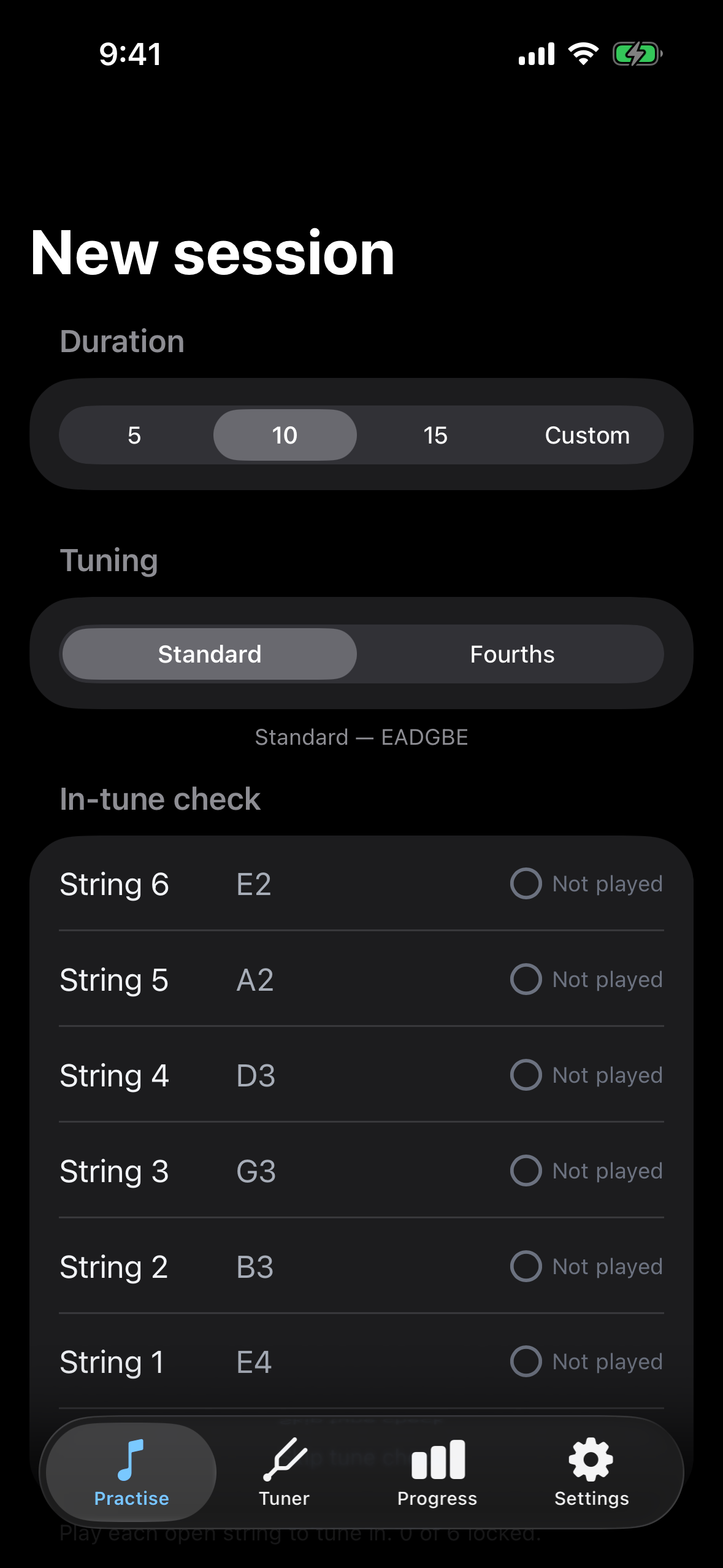
Standard (EADGBE) and Fourths (EADGCF) tunings are treated equally and are switchable with one tap, and works with any guitar through any input — built-in mic, audio interface, or Bluetooth.
Design Philosophy
Practice, not distraction
FretNote is built for the practice room. You're holding a guitar — the phone is propped up somewhere nearby. Everything about the interface respects that context.
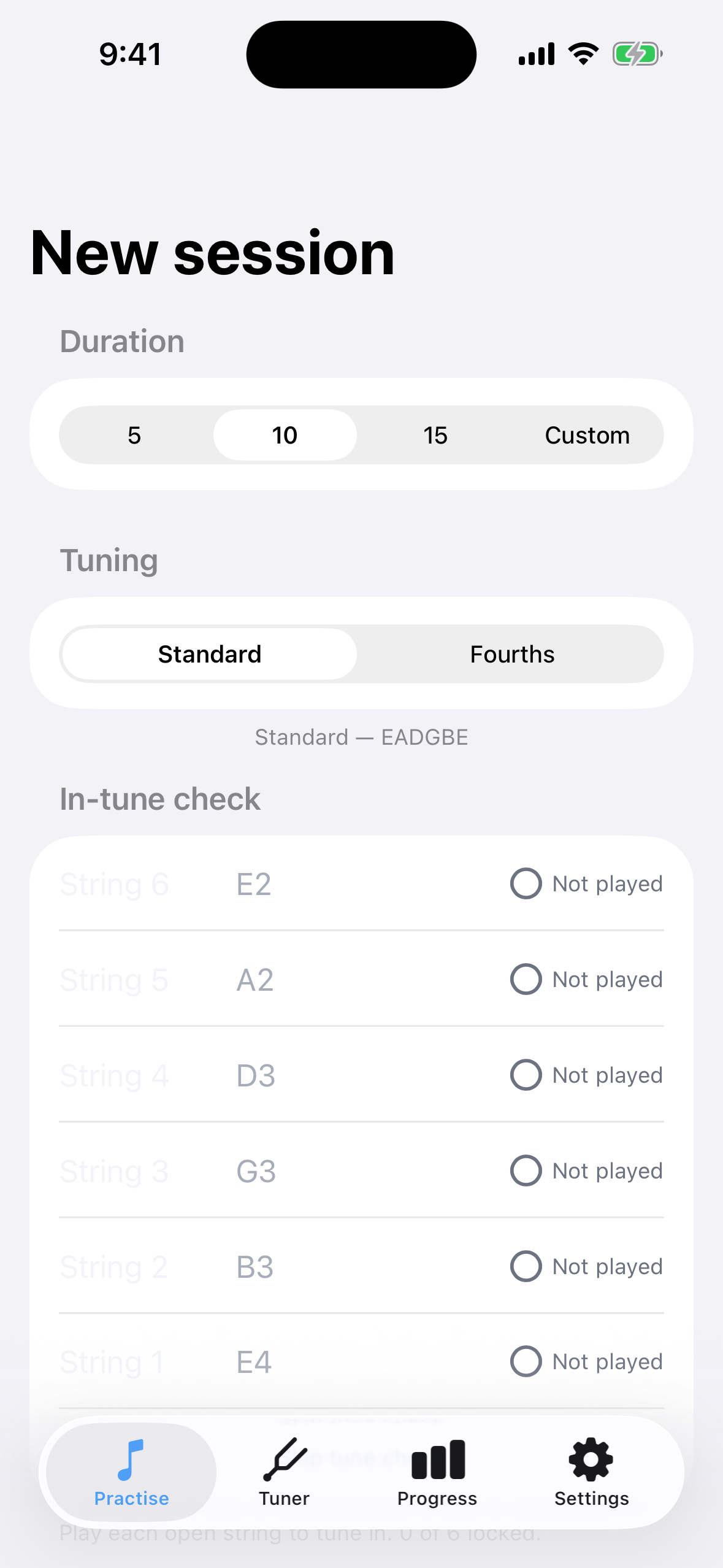
The target note renders large and clear. Verdict feedback uses colour, shape, and word simultaneously — you can catch the result in peripheral vision without looking away from the fretboard. Dark mode is the default because most practice happens in dim rooms where the screen is the brightest object in your field of view.
No modal alerts during practice. Route changes (headphones in or out) surface as transient banners, never dialogs. Motion is minimal and purposeful: verdict flashes are quick, score increments are number-rolls. No bounce, no confetti, no looping animations. Nothing pulls your attention from the instrument.
Feedback is tonally neutral. No celebratory stabs, no punitive flashes. The app respects that practice is deliberate work, not a game show. Patient, confident, informative.
Tune Gate
Practice doesn't start until your guitar is in tune
Before each practice session, FretNote requires you to tune your guitar. Six per-string indicators show the tuning state of each open string. The start button is disabled until all six are green. An explicit skip override exists but is deliberately not the default action.
A built-in standalone tuner is also available, reusing the same listening engine. Cents-offset needle with colour-coded thresholds and nearest-open-string highlighting for the current tuning.
This is an opinionated design choice. Practising with an out-of-tune guitar trains your ear to accept wrong pitches. FretNote won't let you do that by default.
Analytics
Know your weak spots
Every attempt is recorded locally on your device — prompted note, detected result, verdict, timestamp, and tuning. No network requests, no cloud sync, no accounts.
Post-session summary renders three views: accuracy by note name (C through B), accuracy by fretboard region (strings by fret zones as a heatmap), and accuracy by octave band. The three weakest areas across all axes are surfaced as the recommended focus for your next session.
Over time, FretNote builds an increasingly precise map of what you know and what you don't — and steers your practice toward the gaps.
On-Device Intelligence
Your guitar, your device, your data
FretNote uses Apple's on-device frameworks to make practice hands-free and accurate — without sending a single byte off your device.
Intelligent listening — the app distinguishes between guitar sounds and background noise. Conversations in the room, TV audio, and environmental sounds are filtered out before note detection begins. You don't need silence to practise.
Voice commands — between prompts, an optional voice command listener recognises natural-language commands: skip the current prompt, pause, resume, or switch tuning mid-session. The feature is off by default because ambient conditions vary — enable it in Settings when your practice space is quiet enough.
Privacy by architecture — all processing runs entirely on-device. No audio leaves your phone. No analytics are uploaded. No accounts exist to create. This isn't a policy that could change with a terms update — it's how the app is built.
What's Next
Roadmap (subject to change)
- Physical device precision tuning and validation
- Weak-area biasing for prompt selection
- iCloud personal sync for settings and session history (opt-in)
- Voice picker: curated voice options for call-outs
- Adaptive call-out speed based on rolling session accuracy
- Post-session summary redesign
- Instrument family support — bass guitar (4/5/6-string)
- iPad-optimised layout for music-stand viewing distance
- Accessibility modes for visually and hearing impaired users
The App
Screenshots from the Practise tab running on iPhone 16 simulator.
Current Status
FretNote's listening engine is wired end-to-end. The practice loop, analytics, Siri integration, and tuner are functional. Physical device validation is the next milestone. No accounts, no network requests, no ads.